The Main Library in Bowling Green, Kentucky is offering some free computer classes this month. You must pre-register for them first. The library is located at 1225 State Street.
Monday, July 12: Intro. to Computers for Spanish Speakers - 2 - 3 p.m. BG Main Library. Call 781-4882 to register.
Monday, July 12: Microsoft Word - 6 - 7 p.m.
Tuesday, July 13: Microsoft Excel Basics 9-10:30 a.m.
Wednesday, July 14: Beginning Your Resume 9 - 11 a.m.
Thursday, July 15: Compose Your Resume 10-11 a.m.
Monday, July 19: Introduction to Computers and the Internet 2-3 p.m.
Monday, July 19: Intermediate Comp. and Internet 6-7 p.m.
Tuesday, July 20: Learn to Download audiobooks and ebooks 10 - 11 a.m.
Tuesday, July 20: Computing for Seniors 6-7 p.m.
Wednesday, July 21: Email Basics 6-7 p.m.
Tuesday, July 27: MS Excel Intermediate 9 - 10:30 am.
Tuesday, July 27: Intro. to the Internet for Spanish Speakers 2-3 p.m.
Wednesday, July 28: Introduction to Genealogy Resources 6-7 p.m.
Thursday, July 29: Facebook Intermediate 6-7 p.m.
Again, you must pre-register for these computer classes by calling (270) 781-4882. All classes are at the BG Main Library, at 1225 State Street.Make sure and double-check each date and time with the schedule below.
You can download these schedules as pdf files : http://www.bgpl.org/activitiesandprograms.html. Here is a copy of both pages:
This blog is for former members of the BGAMUG Computer Club in Bowling Green, Kentucky. We helped people in need get computers, and we also helped people learn about technology, the internet, and computers.
Monday, July 12, 2010
Friday, July 2, 2010
A bit about computer clubs in Kentucky
The BGAMUG computer club (BGAMUG - the Bowling Green Micocomputer User's Group) is a group based in Bowling Green, Kentucky. You can learn more about your computer, and network with other users there. You can also participate in social events, and more.
This blog has more information about it.
There are some other Computer User's Groups here in Kentucky. Here are a few:
The Central Kentucky Computer Society - Lexington, Kentucky
The Kentucky-Indiana PC Users Group in Louisville - KIPCUG
This group is Kentucky's largest computer users group.
Here are links to other computer user groups in the U.S. and elsewhere. It is a page written by the Space Coast PC User's Group, Inc. http://www.scpcug.com/uglink.html
And here is another list:
http://www.softwaremarketingresource.com/usergroupdirectory.html
Macintosh User Groups list:
http://www.ssrc.hku.hk/cult/mugs.html
More Mac User Groups
http://www.nexcomp.com/macresources/links/usergroups.html
And Bowling Green has a Commodore club too (scroll down at site)
http://mysite.ncnetwork.net/longrj2/cpsl/clubs.html
Wednesday, May 26, 2010
Some photos from our meeting yesterday 5-25-10
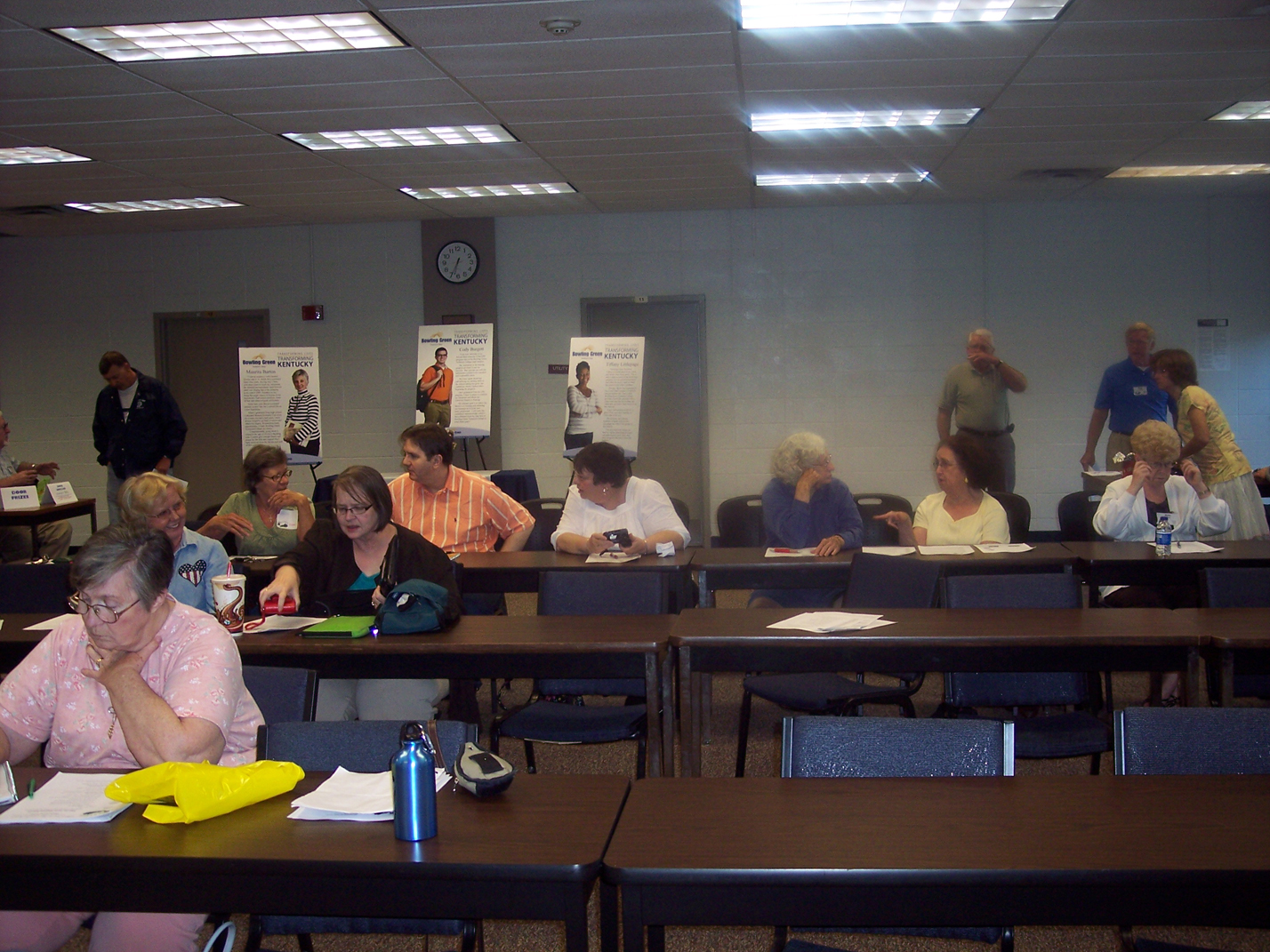
Here are some photos from yesterday's BGAMUG meeting on Tuesday night, 5-25-10.
We had a discussion about questions about computers, then President Jerry Gillette had a presentation for the club about how to use a scanner.
We learned about all-in-one printers that can include scanners, how to use setting buttons to customize our scans, and what makes for a good looking black and white and color scan. We also learned something about resolution and improving the looks of old photographs.
Nobody won the Door Dollars drawing, so maybe someone will win it next time. Also, we have a new VP of Protocol, Jeri Steele. Congratulations, Jeri! I hope I have your name spelled right. Just let me know if not. :-)
-E. Sheppard
Webmaster
Check out our website: http://www.bgamug.com
We had a discussion about questions about computers, then President Jerry Gillette had a presentation for the club about how to use a scanner.
We learned about all-in-one printers that can include scanners, how to use setting buttons to customize our scans, and what makes for a good looking black and white and color scan. We also learned something about resolution and improving the looks of old photographs.
Nobody won the Door Dollars drawing, so maybe someone will win it next time. Also, we have a new VP of Protocol, Jeri Steele. Congratulations, Jeri! I hope I have your name spelled right. Just let me know if not. :-)
-E. Sheppard
Webmaster
Check out our website: http://www.bgamug.com
Related articles by Zemanta
- New Canon Portable Scanner Lets You Scan Directly to Evernote (mashable.com)
- Review: Doxie document scanner (crunchgear.com)
- Smart Tools For a Paperless Home (usnews.com)
- ExactScan 2.10 brings a TWAIN Bridge and more OCR Languages to Mac OS X (themactrack.com)
Labels:
Black-and-white,
Color,
Hardware,
Peripherals,
Photograph,
Photographers,
Photography,
scanner
Tuesday, May 25, 2010
Club Meeting is tonight!
Image by betsyanne via FlickrJust a reminder - our BGAMUG computer club meeting is tonight! So take your car, your ship, or whatever you usually take to meetings, and meet us there.
Guests are very welcome. We would love to see you!
Find out more at out website:
http://www.bgamug.com
-ES
Monday, May 17, 2010
Want to be a published author?
BGAMUG club members, YOU can write an article and have it published in our monthly newsletter, the BGAMUG News. You can have your own by-line too.
Just send your article or idea to our editor via email.
Any computer-related story is great. You can also write about what YOU like about computers, sites you enjoy, hints and tips for other members, and more. You can send computer related jokes, games, cartoons, etc.
Want to know what other people have written about? Just visit the BGAMUG News Archive here:
http://www.bgamug.com/newsarchive.html
So... get that inner writer going and submit a story or filler for the BGAMUG News today. You will be glad you did!
Just send your story here:
(This is inside a colored block to prevent automated bots from putting our newsletter editor on their spam lists.)
All for now,
E. Sheppard
Webmaster
Related articles by Zemanta
- How to Write an Article That Draws Thousands of New Readers (copyblogger.com)
- 10 New Ideas for Getting Inspired to Write (copyblogger.com)
- Crazy Tip For Overcoming Writer's Block (davidrisley.com)
Wednesday, May 12, 2010
Question: How do I find out what is new at the BGAMUG website?
How to find out what is new at the BGAMUG website
Members and others can find out what is new at the BGAMUG site by going to the What's New page.
That page is located here:
http://www.bgamug.com/whats_new.html
Listed here will be new events, new BGAMUG website pages, and more.
See you there!
-Betsy S., 2010 Webmaster for the BGAMUG website.
The BGAMUG website main page
http://www.bgamug.com/
The BGAMUG Facebook group link
BGAMUG FB Link
Members and others can find out what is new at the BGAMUG site by going to the What's New page.
That page is located here:
http://www.bgamug.com/whats_new.html
Listed here will be new events, new BGAMUG website pages, and more.
See you there!
-Betsy S., 2010 Webmaster for the BGAMUG website.
The BGAMUG website main page
http://www.bgamug.com/
The BGAMUG Facebook group link
BGAMUG FB Link
Sunday, May 9, 2010
New stuff is on the BGAMUG site!
Check out the new photos and more.
Check out the Whats New page for more information on the new things on the BGAMUG site.
Here is that link:
The BGAMUG Site.
There are new photos posted about the recent Earth Fair booth in Franklin, Kentucky. And don't forget: our next meeting is on Tuesday, May 25th. Jerry will be showing us some pointers on using a scanner.
All for now,
-Betsyanne
Join me at my personal/business site at http://www.betsyanne.com or at the Nontrads site at http://www.nontradstudents.com.
Subscribe to:
Posts (Atom)