BGAMUG Members - the Christmas Party is this Friday, 11-9-10, from 6-8 p.m.
We will have entertainment and food. Bring a salad, vegetable dish and/or dessert. Bringing a guest or more? Bring enough food for them. The club is furnishing the meat for everyone.
Can you help with setup, cleanup, more? Let the Chairman, R. Eddy, know.
See you there!
Betsy Sheppard
Webmaster
BGAMUG
This blog is for former members of the BGAMUG Computer Club in Bowling Green, Kentucky. We helped people in need get computers, and we also helped people learn about technology, the internet, and computers.
Sunday, December 5, 2010
Tuesday, September 7, 2010
Some new YouTube videos about Facebook privacy
Tweet
I was helping a friend today who had gotten off of Facebook because of privacy concerns. Of course, I wanted to let her know about the new Facebook privacy options in case she wanted to go back to Facebook.
I found three videos on YouTube that I shared with her. Now I can share them here with you. Three experts tell about what Facebook has in terms of security, and also what they do not have.
Here is one link:
http://www.youtube.com/profile?user=ConnectSafely#g/u
And another:
Facebook privacy settings - what you need to know:
http://www.youtube.com/watch?v=MTpa3AS39uA
And another good one:
http://www.youtube.com/watch?v=TGkUA84ftYU
I think the best advice anyone can give about Facebook, and about the whole web in general is NOT to post anything online that you would not put on a public postcard. In other words, Facebook is just The Internet configured for ease of use.
But I think it is a lot of fun anyhow!
Betsy S.
Webmaster
The BGAMUG website
I was helping a friend today who had gotten off of Facebook because of privacy concerns. Of course, I wanted to let her know about the new Facebook privacy options in case she wanted to go back to Facebook.
I found three videos on YouTube that I shared with her. Now I can share them here with you. Three experts tell about what Facebook has in terms of security, and also what they do not have.
Here is one link:
http://www.youtube.com/profile?user=ConnectSafely#g/u
And another:
Facebook privacy settings - what you need to know:
http://www.youtube.com/watch?v=MTpa3AS39uA
And another good one:
http://www.youtube.com/watch?v=TGkUA84ftYU
I think the best advice anyone can give about Facebook, and about the whole web in general is NOT to post anything online that you would not put on a public postcard. In other words, Facebook is just The Internet configured for ease of use.
But I think it is a lot of fun anyhow!
Betsy S.
Webmaster
The BGAMUG website
Related articles by Zemanta
- YouTube Tuesday: Checking In With Facebook Places (firebellydigital.com)
- Video fan or scammer? Survey spam on YouTube (sophos.com)
- YouTube Launches Brand Protection Feature (adage.com)
- Kelly Summers Uses YouTube To Reunite With Ex (huffingtonpost.com)
- YouTube Opens Life In A Day Gallery to All (newteevee.com)
Friday, August 27, 2010
Free computer classes at the Bowling Green, Kentucky library
Image by SeeMidTN.com (aka Brent) via Flickr (remember this?) Free classes for you and your computer from the BG Libraries.
You do need to pre-register for them, but they are free.
One you may like to take will be on Monday, August 30 at 10 a.m. It is a free Computer class, Facebook for Beginners. Graham Drive Community Branch library.
Call to pre-register at 781-1441.
Here is the link for Adult Events on the Bowling Green Public Library site:
http://www.bgpl.org/activitiesandprograms.html
And here is some description of other classes coming up (from the site):
-
"Main Library Free Computer Training
Join us for hands-on workshops in computers and the internet, job hunting and resume skills, e-mail basics, social networking, and more. Classes are offered at various times throughout the day and evening for your convenience. We now offer two classes taught entirely in Spanish. Here is a complete schedule for the August and September workshops at Main. -
Graham Drive Free Computer Training
Adult classes, including Microsoft Word, Job Hunting, Online Health and Nutrition, and Online Gardening Tips, will resume soon. Check back here for more information."The August and September inks above allow you to download a pdf file telling about all the classes, locations, and times.Leave a comment below this post - I would love that!Thanks for stopping by.
The top image is from Brent at SeeMidTn.com via Flickr.
The computer image is from the copyright-free Clkr site here: http://www.clkr.com.
Related articles by Zemanta
- 135 Completely Free Distance Education Courses (distance-education.org)
- The Good Library Blog: Library use falls dramatically (goodlibraryguide.com)
- Seattle libraries closing for a week (thenewstribune.com)
Monday, August 23, 2010
BGAMUG meeting is tomorrow, Tuesday, August 24th, 2010 at 6:30 p.m..
Hi all!
This is Betsy, the BGAMUG Club's Webmaster. This meeting should be very interesting tomorrow. We will be learning about files and folders. Jerry will tell the members and guests how he keeps his computer files organized. His presentation is called Creating, Naming, and Organizing Folders.
Also, it is that time again to elect new officers. Do you want to run for office? There are a few openings for people to run for office this year. This is a good way to meet other members, bounce ideas off each other, and help the club too. You are needed. The club does a lot of good things, and this is your chance to give back and give of yourself.
There are open nominations this meeting, so plan to speak up if you are interested. The meeting is held here:
Place:Bowling Green Technical College, 1845 Loop Street, Building F, Bowling Green, Kentucky. A sign will be posted, and there is plenty of room there.
As usual, guests are very welcome, so if you are thinking of attending, tomorrow is a very good time.
See you there!
Betsy S.
Webmaster
The Bowling Green Microcomputer Users Group
Bowling Green, Kentucky
Here is a map to show you how to get to the meeting at Bowling Green Technical College.
MAP TO MEETING
This is Betsy, the BGAMUG Club's Webmaster. This meeting should be very interesting tomorrow. We will be learning about files and folders. Jerry will tell the members and guests how he keeps his computer files organized. His presentation is called Creating, Naming, and Organizing Folders.
Also, it is that time again to elect new officers. Do you want to run for office? There are a few openings for people to run for office this year. This is a good way to meet other members, bounce ideas off each other, and help the club too. You are needed. The club does a lot of good things, and this is your chance to give back and give of yourself.
There are open nominations this meeting, so plan to speak up if you are interested. The meeting is held here:
Place:Bowling Green Technical College, 1845 Loop Street, Building F, Bowling Green, Kentucky. A sign will be posted, and there is plenty of room there.
As usual, guests are very welcome, so if you are thinking of attending, tomorrow is a very good time.
See you there!
Betsy S.
Webmaster
The Bowling Green Microcomputer Users Group
Bowling Green, Kentucky
Here is a map to show you how to get to the meeting at Bowling Green Technical College.
MAP TO MEETING
Monday, July 12, 2010
Free computer classes for July at the BG Main Library
The Main Library in Bowling Green, Kentucky is offering some free computer classes this month. You must pre-register for them first. The library is located at 1225 State Street.
Monday, July 12: Intro. to Computers for Spanish Speakers - 2 - 3 p.m. BG Main Library. Call 781-4882 to register.
Monday, July 12: Microsoft Word - 6 - 7 p.m.
Tuesday, July 13: Microsoft Excel Basics 9-10:30 a.m.
Wednesday, July 14: Beginning Your Resume 9 - 11 a.m.
Thursday, July 15: Compose Your Resume 10-11 a.m.
Monday, July 19: Introduction to Computers and the Internet 2-3 p.m.
Monday, July 19: Intermediate Comp. and Internet 6-7 p.m.
Tuesday, July 20: Learn to Download audiobooks and ebooks 10 - 11 a.m.
Tuesday, July 20: Computing for Seniors 6-7 p.m.
Wednesday, July 21: Email Basics 6-7 p.m.
Tuesday, July 27: MS Excel Intermediate 9 - 10:30 am.
Tuesday, July 27: Intro. to the Internet for Spanish Speakers 2-3 p.m.
Wednesday, July 28: Introduction to Genealogy Resources 6-7 p.m.
Thursday, July 29: Facebook Intermediate 6-7 p.m.
Again, you must pre-register for these computer classes by calling (270) 781-4882. All classes are at the BG Main Library, at 1225 State Street.Make sure and double-check each date and time with the schedule below.
You can download these schedules as pdf files : http://www.bgpl.org/activitiesandprograms.html. Here is a copy of both pages:
Monday, July 12: Intro. to Computers for Spanish Speakers - 2 - 3 p.m. BG Main Library. Call 781-4882 to register.
Monday, July 12: Microsoft Word - 6 - 7 p.m.
Tuesday, July 13: Microsoft Excel Basics 9-10:30 a.m.
Wednesday, July 14: Beginning Your Resume 9 - 11 a.m.
Thursday, July 15: Compose Your Resume 10-11 a.m.
Monday, July 19: Introduction to Computers and the Internet 2-3 p.m.
Monday, July 19: Intermediate Comp. and Internet 6-7 p.m.
Tuesday, July 20: Learn to Download audiobooks and ebooks 10 - 11 a.m.
Tuesday, July 20: Computing for Seniors 6-7 p.m.
Wednesday, July 21: Email Basics 6-7 p.m.
Tuesday, July 27: MS Excel Intermediate 9 - 10:30 am.
Tuesday, July 27: Intro. to the Internet for Spanish Speakers 2-3 p.m.
Wednesday, July 28: Introduction to Genealogy Resources 6-7 p.m.
Thursday, July 29: Facebook Intermediate 6-7 p.m.
Again, you must pre-register for these computer classes by calling (270) 781-4882. All classes are at the BG Main Library, at 1225 State Street.Make sure and double-check each date and time with the schedule below.
You can download these schedules as pdf files : http://www.bgpl.org/activitiesandprograms.html. Here is a copy of both pages:
Related articles by Zemanta
- Getting started with Microsoft Office 2010 Guide (ghacks.net)
- Take Control of How Files Open (pcworld.com)
- Choosing Between Microsoft Works and Microsoft Word (brighthub.com)
- Dump Microsoft, Use Linux to Save Money, U.K. Officials Suggest (businessweek.com)
- Security risks for those who stay with Windows XP SP2 (sophos.com)
- Free Office Software? (chicagonow.com)
Friday, July 2, 2010
A bit about computer clubs in Kentucky
The BGAMUG computer club (BGAMUG - the Bowling Green Micocomputer User's Group) is a group based in Bowling Green, Kentucky. You can learn more about your computer, and network with other users there. You can also participate in social events, and more.
This blog has more information about it.
There are some other Computer User's Groups here in Kentucky. Here are a few:
The Central Kentucky Computer Society - Lexington, Kentucky
The Kentucky-Indiana PC Users Group in Louisville - KIPCUG
This group is Kentucky's largest computer users group.
Here are links to other computer user groups in the U.S. and elsewhere. It is a page written by the Space Coast PC User's Group, Inc. http://www.scpcug.com/uglink.html
And here is another list:
http://www.softwaremarketingresource.com/usergroupdirectory.html
Macintosh User Groups list:
http://www.ssrc.hku.hk/cult/mugs.html
More Mac User Groups
http://www.nexcomp.com/macresources/links/usergroups.html
And Bowling Green has a Commodore club too (scroll down at site)
http://mysite.ncnetwork.net/longrj2/cpsl/clubs.html
Wednesday, May 26, 2010
Some photos from our meeting yesterday 5-25-10
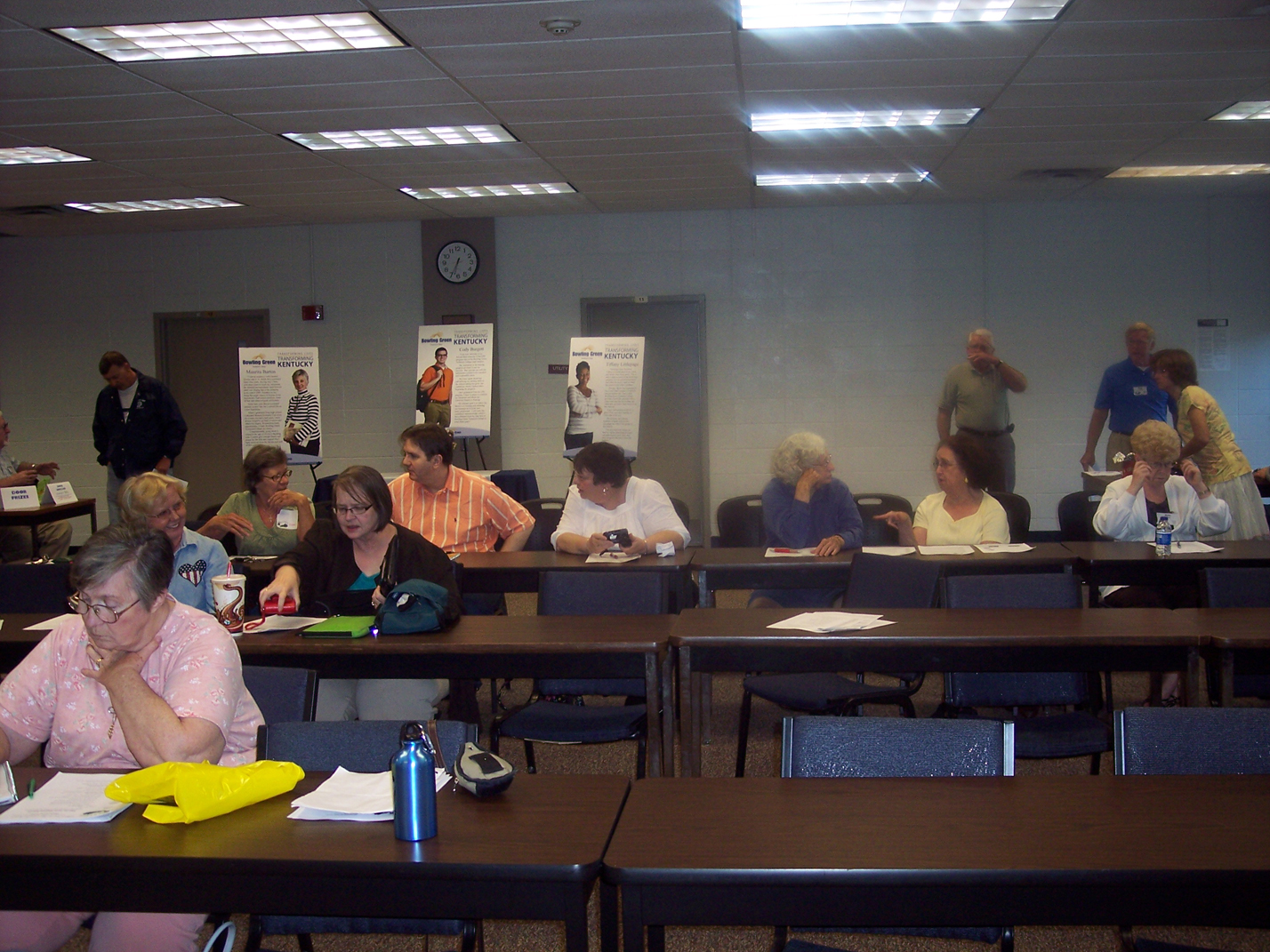
Here are some photos from yesterday's BGAMUG meeting on Tuesday night, 5-25-10.
We had a discussion about questions about computers, then President Jerry Gillette had a presentation for the club about how to use a scanner.
We learned about all-in-one printers that can include scanners, how to use setting buttons to customize our scans, and what makes for a good looking black and white and color scan. We also learned something about resolution and improving the looks of old photographs.
Nobody won the Door Dollars drawing, so maybe someone will win it next time. Also, we have a new VP of Protocol, Jeri Steele. Congratulations, Jeri! I hope I have your name spelled right. Just let me know if not. :-)
-E. Sheppard
Webmaster
Check out our website: http://www.bgamug.com
We had a discussion about questions about computers, then President Jerry Gillette had a presentation for the club about how to use a scanner.
We learned about all-in-one printers that can include scanners, how to use setting buttons to customize our scans, and what makes for a good looking black and white and color scan. We also learned something about resolution and improving the looks of old photographs.
Nobody won the Door Dollars drawing, so maybe someone will win it next time. Also, we have a new VP of Protocol, Jeri Steele. Congratulations, Jeri! I hope I have your name spelled right. Just let me know if not. :-)
-E. Sheppard
Webmaster
Check out our website: http://www.bgamug.com
Related articles by Zemanta
- New Canon Portable Scanner Lets You Scan Directly to Evernote (mashable.com)
- Review: Doxie document scanner (crunchgear.com)
- Smart Tools For a Paperless Home (usnews.com)
- ExactScan 2.10 brings a TWAIN Bridge and more OCR Languages to Mac OS X (themactrack.com)
Labels:
Black-and-white,
Color,
Hardware,
Peripherals,
Photograph,
Photographers,
Photography,
scanner
Subscribe to:
Posts (Atom)